
Creating high-quality images for blogs, ads, YouTube thumbnails, social media posts, product pages, and landing pages can take a lot of time. You either need design skills, a paid designer, stock photo subscriptions, or access to professional editing tools. For bloggers, affiliate marketers, solopreneurs, ecommerce sellers, and content creators, that cost can quickly become frustrating.
That is where Airbrush AI Image Generator becomes interesting.
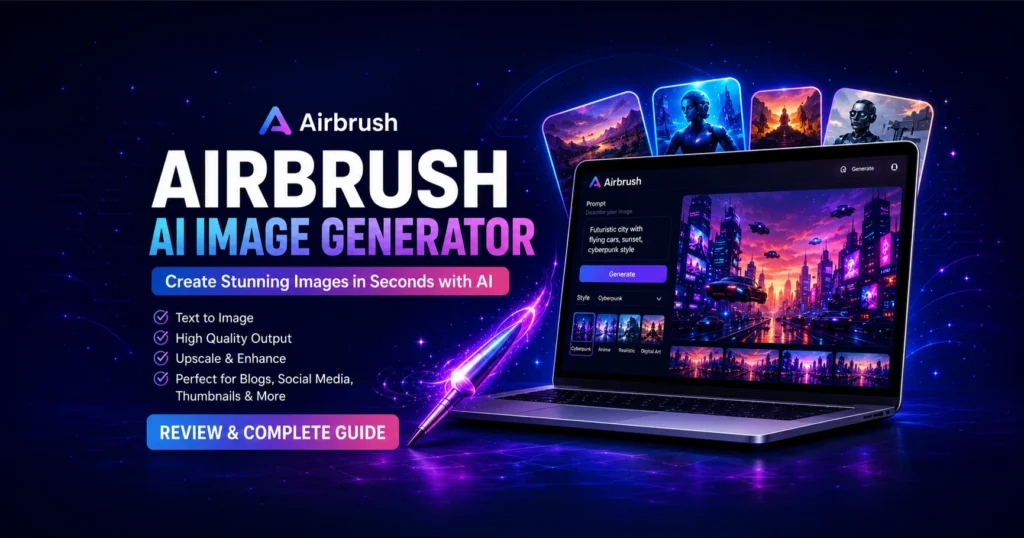
Airbrush is an AI-powered image generation tool that helps users create images and artwork from text prompts. The AppSumo listing describes it as a tool to create high-quality images and artwork in seconds, with features such as API access, team members, image upscaling, sharpening, detail enhancement, a public gallery, dark mode, responsive design, image-to-text conversion, and a blog article cover or thumbnail creator. The official Airbrush website also positions the tool for AI art, photorealistic images, anime, 3D renders, game assets, logos, social media graphics, and product mockups.
In this Airbrush AI Image Generator review, we will look at what Airbrush is, how it works, who should use it, its major features, practical use cases, pros and cons, alternatives, and whether the AppSumo deal can be useful for creators and online businesses.
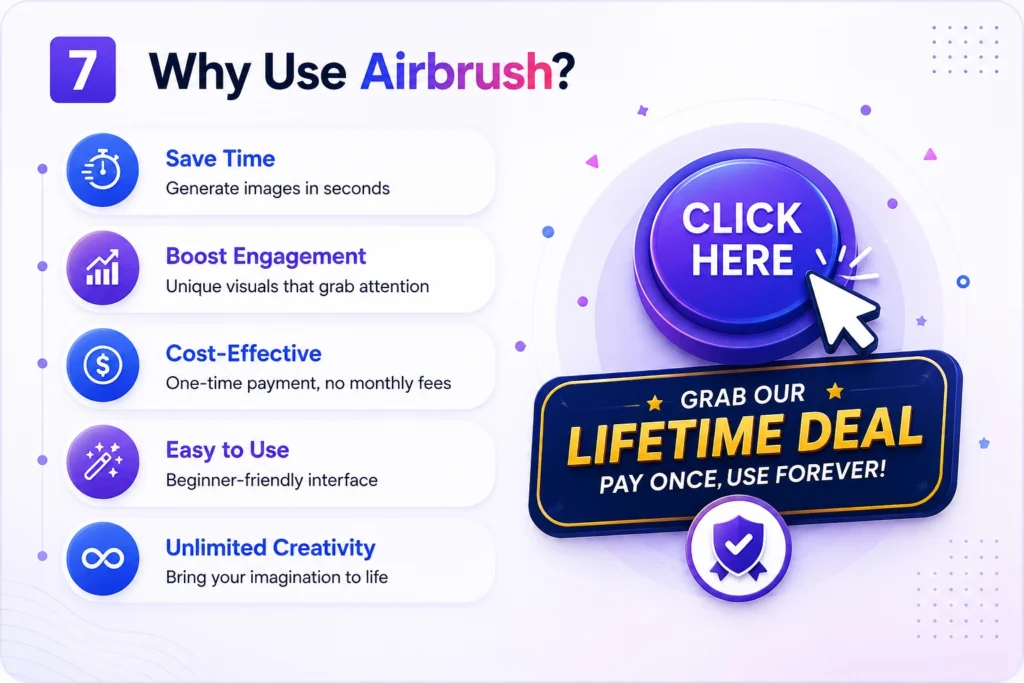
Pay one time, use Lifetime
Airbrush AI Image Generator Review: Create Blog Images, Social Media Graphics, and Marketing Visuals Faster
What Is Airbrush AI Image Generator-AppSumo Best Deal Pilot
What Is Airbrush AI Image Generator?
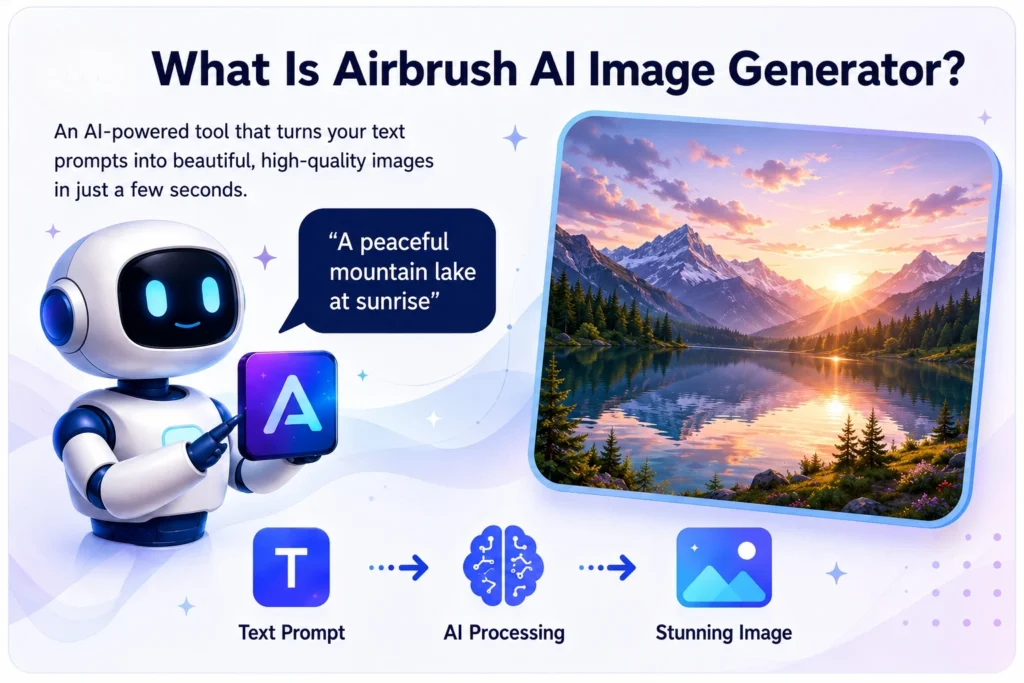
Airbrush AI Image Generator is a text-to-image AI tool designed to help users create digital visuals without starting from a blank canvas. Instead of manually designing everything, you type a prompt describing the image you want, choose the right use case or style, and let the AI generate the image.
For example, you can write a prompt like:
“Modern SaaS dashboard illustration with a blue and white color theme, professional business style, clean background, high resolution.”
The tool can then generate an image based on your description. This makes Airbrush useful for people who need visuals regularly but do not want to spend hours searching for stock photos or editing images manually.
Airbrush can be used for:
- Blog featured images
- Website banners
- Social media graphics
- YouTube thumbnails
- Product mockups
- Digital artwork
- Ad creatives
- Branding visuals
- Ecommerce product concepts
- AI-generated stock-style images
- Marketing campaign images
The main idea is simple: write what you want, generate the image, refine the prompt if needed, and download the result.
Why AI Image Generators Are Becoming Popular
Visual content is no longer optional. Whether you run a blog, YouTube channel, affiliate website, ecommerce store, agency, or SaaS business, images affect how users see your brand.
A plain article with no image may look incomplete. A social media post without a strong visual may not get attention. A product page with weak images may struggle to convert. A YouTube thumbnail can decide whether someone clicks or scrolls away.
Traditional image creation has a few common problems:
First, stock photos are often overused. Many websites use the same generic office photos, laptop images, handshake pictures, and business graphics. This makes content look ordinary.
Second, hiring designers can become expensive, especially if you need images every day or every week.
Third, tools like Photoshop or Illustrator are powerful but require skill and time.
Fourth, creating custom visuals for every blog post, ad, and social media campaign can slow down your publishing schedule.
AI image generators solve part of this problem by helping creators produce unique visuals faster. Airbrush is one of the tools built for this exact need.
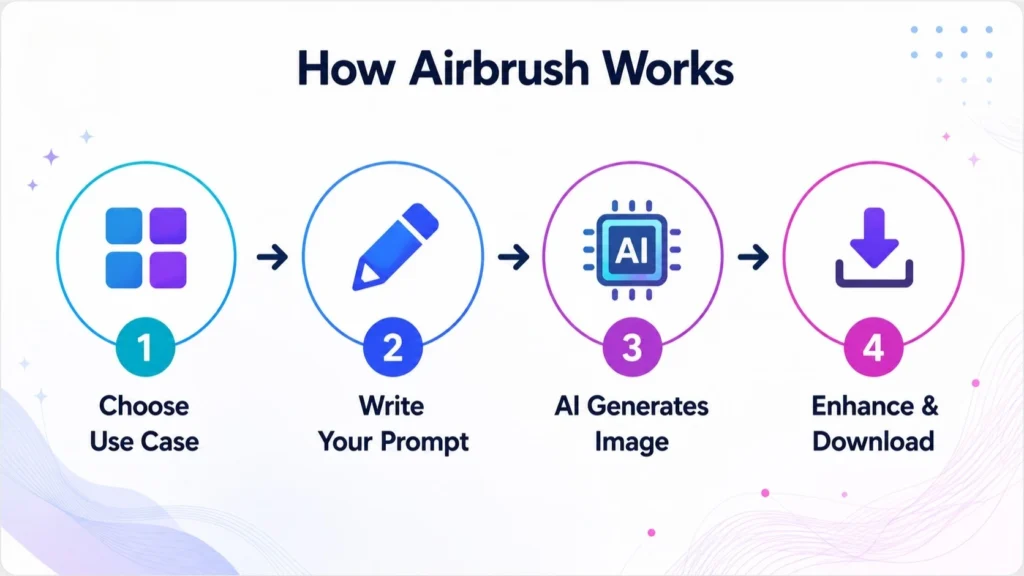
How Airbrush AI Image Generator Works-AppSumo Best Deal Pilot
How Airbrush AI Image Generator Works
Airbrush follows a simple creative workflow. While the exact interface can change over time, the general process is easy to understand.
1. Create an Account
You start by signing up for Airbrush. Once you are inside the dashboard, you can begin creating images using prompts.
2. Choose a Use Case
Airbrush is designed for different creative needs. You may create images for blogs, social media, art, portraits, thumbnails, product mockups, or other visual formats.
Choosing the right use case helps the AI understand the type of output you need.
3. Write a Prompt
The prompt is the most important part of AI image generation. A weak prompt gives a weak result. A detailed prompt gives the AI more direction.
Instead of writing:
“Create a business image.”
Write:
“Create a premium business marketing image showing a modern laptop, analytics dashboard, soft blue lighting, clean office background, professional SaaS style, high resolution.”
The second prompt gives more context, style, subject, mood, and quality direction.
4. Generate the Image
After you submit the prompt, the AI creates an image. You can then review the result and decide whether to use it, download it, or generate another version.
5. Upscale or Enhance the Image
Airbrush includes image enhancement features such as upscaling, sharpening, and detail improvement according to its AppSumo feature list. This is helpful when you want cleaner, more polished images for websites, thumbnails, and marketing materials.
6. Download and Use
Once you are satisfied, you can download the image and use it in your content workflow.
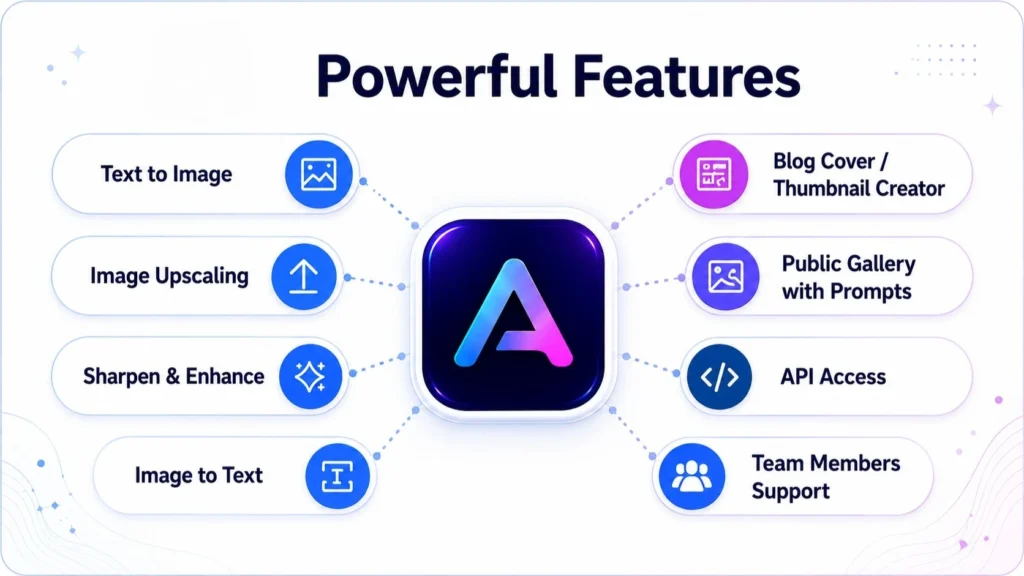
Powerful Key Features of Airbrush AI Image Generator-AppSumo Best Deal Pilot
Key Features of Airbrush AI Image Generator
Airbrush includes several features that make it useful for creators, marketers, bloggers, and businesses.
Text-to-Image Generation
The core feature of Airbrush is AI image generation from text prompts. You describe the image you want, and the tool creates a visual based on your description.
This is useful when you need unique images but do not want to depend only on stock photo websites.
Blog Cover and Thumbnail Creator
One of the most practical features for bloggers and affiliate marketers is the blog article cover or thumbnail creator. A good featured image can make your article look more professional and increase engagement when shared on social media.
For example, if you publish an article about “Best AI Writing Tools,” you can create a custom blog image with a futuristic writing desk, laptop, AI interface, and clean digital background.
Image Upscaling
Sometimes AI-generated images look good but need a higher resolution. Airbrush includes image upscaling, which can help improve output quality for bigger displays, blog headers, or social media designs.
Sharpening and Detail Enhancement
AI images may occasionally look soft or slightly blurry. Detail enhancement and sharpening can make images look clearer and more professional.
Image-to-Text Converter
The image-to-text converter is useful when you want to reverse-engineer an image idea. If you see a style or visual concept you like, image-to-text can help generate a descriptive prompt or caption-style explanation.
This can be helpful for prompt creation, content planning, or building a consistent visual style.
Public Gallery With Prompts
A public gallery can help users discover what other people are creating. This is useful because AI image generation improves when you study better prompts.
Instead of guessing what to write, you can look at examples, understand prompt structure, and create your own version.
API Access
API access can be useful for developers, agencies, SaaS founders, or businesses that want to connect image generation with their own workflow.
For example, a content platform could use API access to generate blog thumbnails automatically. A social media tool could generate images from post ideas. An ecommerce workflow could create product concept images from descriptions.
Team Member Support
Team member support is useful for agencies or businesses where more than one person works on content and visuals. A marketing team, design team, or content team can collaborate more easily instead of relying on one account.
Responsive Design
Airbrush is listed as responsive for desktop, tablet, and smartphone use. This matters because creators often work across devices. You may plan content on a laptop, check designs on a tablet, or generate quick ideas from a mobile device.
Dark Mode
Dark mode may not sound like a major feature, but it is useful for people who work long hours. It can make the interface easier on the eyes, especially during night work.
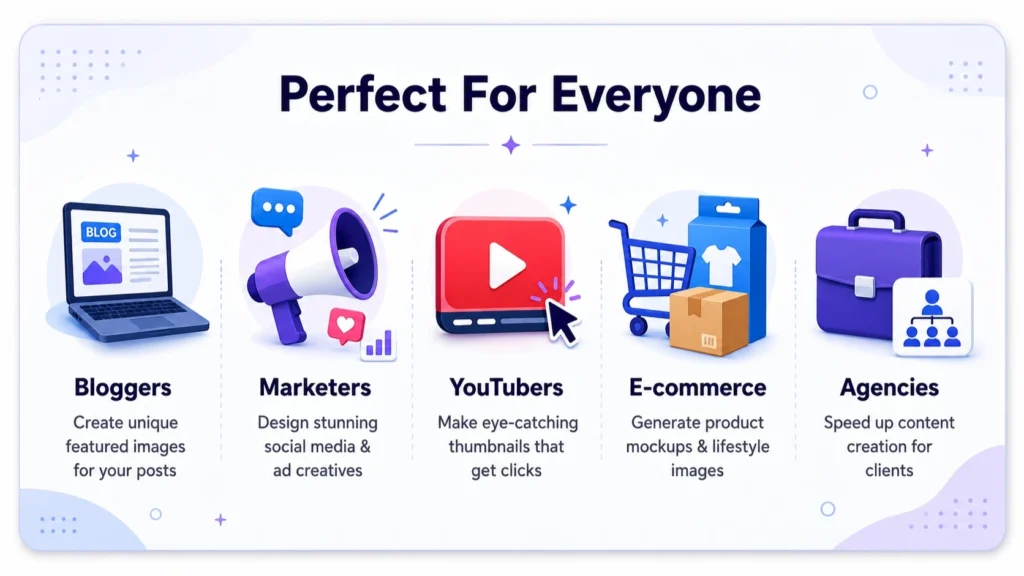
Who Should Use Airbrush AI Image Generator-AppSumo Best Deal Pilot
Who Should Use Airbrush AI Image Generator?
Airbrush is not only for artists. It is more useful for people who regularly need visual content but may not have advanced design skills.
Bloggers
Bloggers can use Airbrush to create featured images, article banners, Pinterest graphics, and supporting visuals. Instead of using the same stock photo style as everyone else, bloggers can generate custom visuals for each article.
For example, a blog about productivity can create clean workspace images. A food blog can create recipe concept images. A tech blog can create futuristic AI and SaaS visuals.
Affiliate Marketers
Affiliate marketers need images for review articles, comparison posts, product roundups, social media promotions, and landing pages. Airbrush can help create custom visuals that make affiliate content look more premium.
For a website like BestDealPilot, Airbrush can be useful for product deal reviews, SaaS lifetime deal articles, AI tool comparisons, and promotional blog graphics.
YouTubers
YouTube thumbnails are one of the biggest factors in click-through rate. Airbrush can help YouTubers brainstorm thumbnail ideas, backgrounds, character concepts, or attention-grabbing visuals.
However, AI-generated text inside images may not always be perfect. For final YouTube thumbnails, you may still want to add text using Canva, Photoshop, or another design tool.
Social Media Managers
Social media teams need a constant supply of images. Airbrush can speed up the creative process by generating visuals for Facebook, Instagram, LinkedIn, X, Pinterest, and other platforms.
It can be especially useful for campaign concepts, motivational posts, product announcements, seasonal posts, and branded content ideas.
Ecommerce Sellers
Ecommerce sellers can use Airbrush for product mockup ideas, lifestyle backgrounds, ad creatives, and visual concepts.
For example, if you sell skincare products, you can generate background concepts like marble podiums, soft lighting, botanical leaves, and luxury packaging scenes. If you sell tech accessories, you can create clean desk setups, futuristic product displays, or lifestyle visuals.
Agencies
Marketing agencies can use Airbrush to speed up concept creation. Instead of waiting for the first draft from a designer, the team can generate multiple visual directions quickly and then refine the best option.
This can help during brainstorming, client presentations, ad testing, and content calendar planning.
SaaS Founders
SaaS founders can use Airbrush for landing page graphics, feature illustrations, blog images, ad concepts, and pitch deck visuals.
For early-stage startups, this can save time and budget.
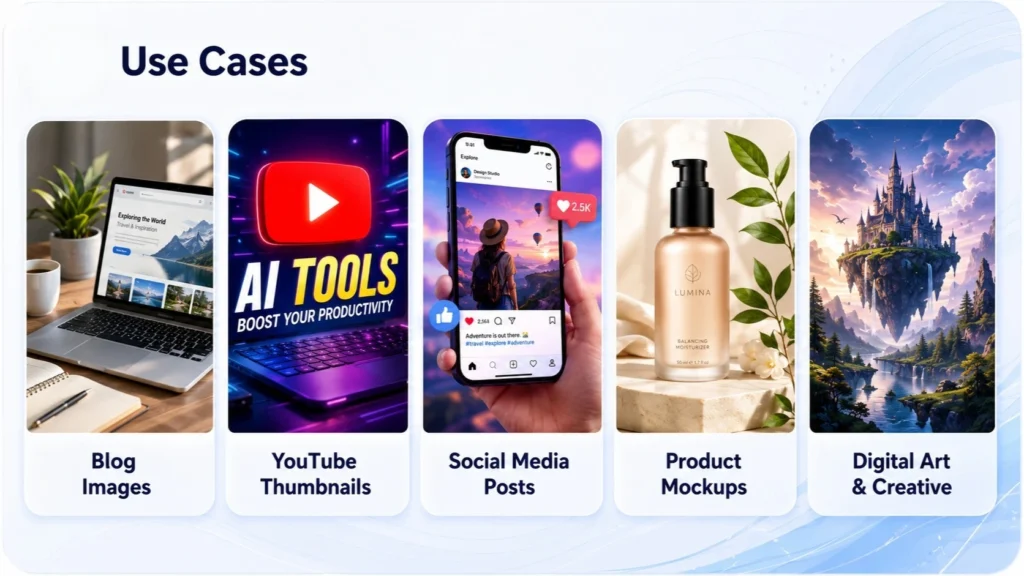
Some Practical Use Cases for Airbrush AI Image Generator-AppSumo Best Deal Pilot
Some Practical Use Cases for Airbrush AI Image Generator
Let’s look at some real-world ways to use Airbrush AI Image Generator.
1. Blog Featured Images
Every blog post needs a strong featured image. A good featured image can make the article look more trustworthy and professional.
Example prompt:
“Create a modern blog featured image for an article about AI marketing tools, showing a laptop with AI dashboard, digital icons, blue gradient background, professional SaaS style, high resolution.”
2. SaaS Review Graphics
If your website reviews SaaS tools, you can create unique images for each review.
Example prompt:
“Create a clean SaaS review illustration with software dashboard, rating stars, analytics charts, modern blue and purple color palette, minimal business style.”
3. AppSumo Deal Blog Images
For AppSumo lifetime deal content, you can generate deal-style graphics.
Example prompt:
“Create a promotional image for a lifetime software deal, showing a digital product box, discount tag, modern startup background, orange and blue color palette, professional marketing style.”
4. Social Media Posts
Airbrush can help create scroll-stopping visuals for social platforms.
Example prompt:
“Create a LinkedIn-style business graphic about AI productivity, modern office desk, laptop screen with automation icons, clean corporate design, premium lighting.”
5. YouTube Thumbnail Backgrounds
You can use Airbrush to generate background images for thumbnails, then add your own text and face cutout later.
Example prompt:
“Create a dramatic YouTube thumbnail background about AI tools, glowing computer screen, shocked expression concept space, neon blue and orange lighting, high contrast.”
6. Product Mockups
Product mockups can help ecommerce sellers and digital creators present ideas.
Example prompt:
“Create a premium product mockup scene with a white cosmetic jar on a marble podium, soft pink background, flowers, luxury skincare branding style, realistic lighting.”
7. Ad Creative Concepts
Before launching ads, marketers often test several creative angles. Airbrush can help create multiple visual concepts quickly.
Example prompt:
“Create a Facebook ad image for a productivity app, showing a busy entrepreneur using a clean task management dashboard, modern workspace, warm light, high conversion ad style.”
8. Digital Art and Creative Projects
Artists and hobby creators can use Airbrush for fantasy scenes, characters, anime art, 3D concepts, wallpapers, and experimental visuals.
Example prompt:
“Create a fantasy city floating above the clouds, golden sunset, cinematic lighting, detailed architecture, magical atmosphere, ultra-detailed digital painting.”
Airbrush for SEO Bloggers and Affiliate Websites
For SEO bloggers, visuals are more than decoration. They support readability, branding, user engagement, and social sharing.
If you publish long-form content, adding custom images can improve the user experience. Readers are more likely to stay when the content feels visually organized and professionally presented.
For affiliate websites, images can help explain product benefits. For example, if you write about AI tools, you can create graphics showing workflows, dashboards, automation concepts, and digital marketing scenes.
Airbrush can be especially helpful for:
- SaaS review blogs
- AI tool comparison websites
- AppSumo deal websites
- Marketing blogs
- Tech blogs
- Ecommerce blogs
- Creator economy websites
- Digital product websites
A website like BestDealPilot can use Airbrush to create article covers for software reviews, deal announcements, buying guides, comparison posts, and “best tools” roundups.
Airbrush AI Image Generator AppSumo Deal: Why It Gets Attention
AppSumo is popular among entrepreneurs, marketers, bloggers, and small businesses because it often features software deals with one-time payment options instead of monthly subscriptions.
The Airbrush AppSumo listing highlights a one-time payment model and includes features such as API access, image enhancement, image-to-text, team members, public gallery, and blog thumbnail creation.
This is why many users search for phrases like:
- Airbrush AppSumo deal
- Airbrush lifetime deal
- Airbrush AI image generator review
- Airbrush AI AppSumo review
- Airbrush AI image generator pricing
- Airbrush AI alternative
- Best AI image generator for bloggers
The deal can be attractive for people who want to reduce monthly software costs. However, before buying any AppSumo deal, it is always smart to check the current deal page, plan limits, refund terms, credit limits, commercial usage rules, and recent user questions.
AppSumo reviews currently show Airbrush with a 4.57 out of 5 rating based on 271 verified reviews, with users praising the interface, prompt accuracy, and image engines, while also mentioning occasional issues such as errors or black images.
Pros of Airbrush AI Image Generator
→ Easy to Use
Airbrush is beginner-friendly. You do not need to be a professional designer to start creating images. If you can describe what you want, you can generate visuals.
→ Saves Time
Instead of spending hours searching for the right stock photo, you can generate a custom image in minutes.
→ Useful for Many Content Types
Airbrush is not limited to one type of image. It can be used for blogs, ads, social media, thumbnails, product mockups, digital art, and more.
→ Good for Content Marketing
Bloggers, affiliate marketers, and agencies can use Airbrush to support regular publishing. When you need fresh visuals often, AI generation can become a major time saver.
→ Image Enhancement Features
Upscaling, sharpening, and detail enhancement are useful because generated images may need improvement before publishing.
→ AppSumo Availability
For users who prefer lifetime software deals, the AppSumo listing makes Airbrush more interesting than tools that only offer recurring subscriptions.
Cons of Airbrush AI Image Generator
No tool is perfect, and Airbrush also has limitations.
→ AI Images May Need Editing
AI-generated images can sometimes have small errors. Hands, faces, text, objects, and layouts may not always be perfect. You may need to generate multiple versions or manually edit the final image.
→ Text Inside Images May Not Always Be Reliable
Many AI image generators struggle with accurate text in images. If you need a flyer, banner, or thumbnail with exact wording, it is better to generate the background image first and then add text using a design tool.
→ Output Depends on Prompt Quality
The better your prompt, the better your image. Beginners may need time to learn to write prompts.
→ Deal Terms Can Change
AppSumo deal terms, credits, limits, and pricing can change. Always check the live AppSumo page before purchasing.
→ Not a Complete Photoshop Replacement
Airbrush is useful for generating images, but it may not replace advanced design software for complex editing, branding systems, layered design files, or print-ready professional layouts.
Airbrush vs Canva
Canva is a complete graphic design platform. It gives you templates, fonts, layouts, brand kits, stock elements, and editing tools. Airbrush is more focused on AI image generation.
Use Airbrush when you want to create original AI visuals from prompts.
Use Canva when you want to design final layouts, add text, create carousels, build presentations, or maintain brand templates.
The best workflow may be to use both:
Generate the image in Airbrush.
Edit, resize, brand, and publish the design in Canva.
Airbrush vs Midjourney
Midjourney is known for high-quality artistic and cinematic images. Many creators use it for advanced AI art, fantasy visuals, concept art, and premium image styles.
Airbrush may be easier for beginners who want a simple tool for blogs, thumbnails, and marketing images. Midjourney may be better for users who want deeper creative control and are comfortable with a more advanced workflow.
Airbrush vs DALL-E
DALL-E is a popular AI image generation model used in different tools and platforms. It can generate creative and realistic images from prompts.
Airbrush is more of a user-facing platform that packages AI image generation with additional features such as upscaling, image-to-text, and blog thumbnail creation.
The right choice depends on your workflow. If you want a simple content marketing image generator, Airbrush can be practical. If you already use a platform with built-in image generation, you may compare output quality and cost before deciding.
Airbrush vs Stock Photo Websites
Stock photo websites are useful when you need real photography. But stock photos can feel generic, especially in business, technology, and marketing niches.
Airbrush gives you more creative control because you can describe exactly what you want. Instead of searching for the perfect image, you create it.
However, stock photos may still be better when you need real-world accuracy, real locations, real products, or editorial-style photography.
Tips to Get Better Results With Airbrush
AI image generation depends heavily on prompt quality. Here are some practical tips.
→ Be Specific
Do not write short prompts like “business image.” Add subject, style, color, background, mood, lighting, and purpose.
Better prompt:
“Professional business blog cover image showing a laptop with AI marketing dashboard, blue gradient background, clean corporate style, high resolution, modern SaaS branding.”
→ Mention the Image Purpose
Tell the AI whether the image is for a blog cover, YouTube thumbnail, social media ad, product mockup, or website banner.
→ Add Style Direction
Use words like realistic, cinematic, minimalist, 3D, flat illustration, luxury, corporate, futuristic, clean, or editorial.
→ Add Lighting and Color
Lighting and color make a big difference.
Examples:
- Soft studio lighting
- Warm sunlight
- Neon blue lighting
- White and gold luxury theme
- Corporate blue color palette
- Pastel background
→ Avoid Too Many Subjects
If your prompt includes too many objects, the image may become messy. Keep the main subject clear.
→ Generate Multiple Versions
Do not expect the first result to be perfect. Generate several versions, compare them, and refine your prompt.
→ Add Text Later
For exact text, use a design tool after generating the image. This gives you more control and avoids spelling issues.
Best Prompt Examples for Airbrush AI Image Generator
Here are some prompt ideas you can use or customize.
→ Blog Cover Prompt
“Create a professional blog cover image about AI image generators, showing a laptop with creative digital artwork on screen, modern workspace, blue and purple gradient background, clean SaaS style, high resolution.”
→ Affiliate Review Prompt
“Create a modern affiliate product review graphic, software dashboard on laptop screen, rating stars, discount badge, clean white background, orange and blue color palette, professional marketing style.”
→ Social Media Prompt
“Create a social media post background about digital marketing automation, smartphone with analytics icons, bright modern colors, clean layout, high quality, no text.”
→ Ecommerce Prompt
“Create a luxury skincare product mockup scene, white cosmetic bottle on marble podium, soft pink background, cherry blossoms, warm studio lighting, premium beauty brand style.”
→ YouTube Thumbnail Prompt
“Create a dramatic YouTube thumbnail background about AI tools, glowing laptop, futuristic interface, high contrast blue and orange lighting, bold composition, no text.”
→ SaaS Landing Page Prompt
“Create a clean SaaS landing page hero illustration, business team using analytics dashboard, floating automation icons, white and blue color theme, modern startup design, professional quality.”
Is Airbrush AI Image Generator Worth It?
Airbrush AI Image Generator can be worth it if you regularly need images for content marketing, blogging, affiliate websites, social media, YouTube, or ecommerce.
It is especially useful if you:
- Publish blog posts often
- Need unique featured images
- Create social media content
- Want faster visual brainstorming
- Run affiliate or SaaS review websites
- Need product mockup ideas
- Want to reduce stock photo dependency
- Prefer simple AI tools
- Like AppSumo lifetime deal software
However, Airbrush may not be the best choice if you need advanced photo editing, perfect typography inside images, professional print design, or exact brand-controlled layouts. In those cases, you may still need Canva, Photoshop, Illustrator, Figma, or a professional designer.
The best way to think about Airbrush is this:
Airbrush helps you create the visual idea faster.
A design tool helps you finish and polish the final layout.
Our Verdict
Airbrush AI Image Generator is a practical tool for bloggers, marketers, affiliate site owners, ecommerce sellers, YouTubers, agencies, and small businesses that need visual content without a complicated design workflow.
Its biggest strength is speed. You can turn a written idea into an image quickly, test different visual concepts, and create custom graphics for many types of content. Features like image upscaling, sharpening, image-to-text, API access, public gallery, and blog thumbnail creation make it more useful than a basic text-to-image generator.
For a website like BestDealPilot, Airbrush can be a strong tool for creating blog images, AppSumo deal graphics, SaaS review visuals, affiliate marketing banners, and social media creatives.
It will not replace every design tool, and you should still review the latest AppSumo terms before buying. But if your goal is to create more visual content faster, Airbrush AI Image Generator is worth considering.
FAQs About Airbrush AI Image Generator-AppSumo Best Deal Pilot
FAQs About Airbrush AI Image Generator
What is Airbrush AI Image Generator?
→ Airbrush AI Image Generator is an AI-powered tool that creates images and artwork from text prompts. Users can describe the type of image they want, generate visuals, and use them for blogs, social media, marketing, thumbnails, product mockups, and creative projects.
Is Airbrush available on AppSumo?
→ Yes, Airbrush AI Image Generator is listed on AppSumo. The listing highlights features such as image generation, API access, team member support, image upscaling, sharpening, detail enhancement, public gallery, image-to-text conversion, and blog thumbnail creation.
Who should use Airbrush AI Image Generator?
→ Airbrush is useful for bloggers, affiliate marketers, YouTubers, social media managers, ecommerce sellers, SaaS founders, agencies, and content creators who need images regularly.
Can Airbrush create blog featured images?
→ Yes. Airbrush can be used to create blog featured images, article covers, and thumbnails. This is one of its most useful features for bloggers and affiliate website owners.
Can I use Airbrush for social media graphics?
→ Yes. You can create social media visuals for platforms like Facebook, Instagram, LinkedIn, Pinterest, and X. For best results, generate the main image in Airbrush and add exact text, branding, and final layout in a design tool.
Does Airbrush replace Canva?
→ No. Airbrush and Canva serve different purposes. Airbrush is mainly for AI image generation, while Canva is better for final layouts, templates, typography, and brand design. Many users can use Airbrush and Canva together.
Does Airbrush replace Photoshop?
→ Not completely. Airbrush can generate and enhance images, but Photoshop is still better for advanced editing, retouching, layered design, professional photo manipulation, and detailed creative control.
Is Airbrush good for YouTube thumbnails?
→ Airbrush can help create thumbnail backgrounds and visual concepts. However, for exact thumbnail text, arrows, icons, and face cutouts, you may still want to use Canva, Photoshop, or another editor.
Can Airbrush generate product mockups?
→ Yes. Airbrush can generate product mockup-style images and lifestyle product concepts. This can be useful for ecommerce sellers, digital product creators, and marketers.
Does Airbrush support image upscaling?
→ Yes. The AppSumo listing includes image upscaling, sharpening, and detail enhancement as features.
Is Airbrush beginner-friendly?
→ Yes. Airbrush is designed to be simple enough for non-designers. The most important skill is learning how to write clear and detailed prompts.
What are the best Airbrush alternatives?
→ Popular alternatives include Canva AI, Midjourney, DALL-E, Adobe Firefly, Leonardo AI, Stable Diffusion-based tools, and other AI image generators. The best alternative depends on whether you need artistic quality, commercial-safe images, editing tools, templates, or low-cost image generation.
Is Airbrush worth buying from AppSumo?
→ Airbrush can be worth considering if you need regular AI-generated images and prefer AppSumo-style software deals. Before purchasing, check the current AppSumo price, credit limits, license terms, refund policy, and recent user reviews.
What is the best use of Airbrush for affiliate marketers?
→ Affiliate marketers can use Airbrush to create blog featured images, product review graphics, comparison post visuals, Pinterest pins, ad creatives, and promotional social media images.
How can I get better images from Airbrush?
→ Use detailed prompts. Include the subject, style, purpose, background, lighting, color palette, and image format. Generate multiple versions and refine your prompt until the output matches your goal.